

Moment 01
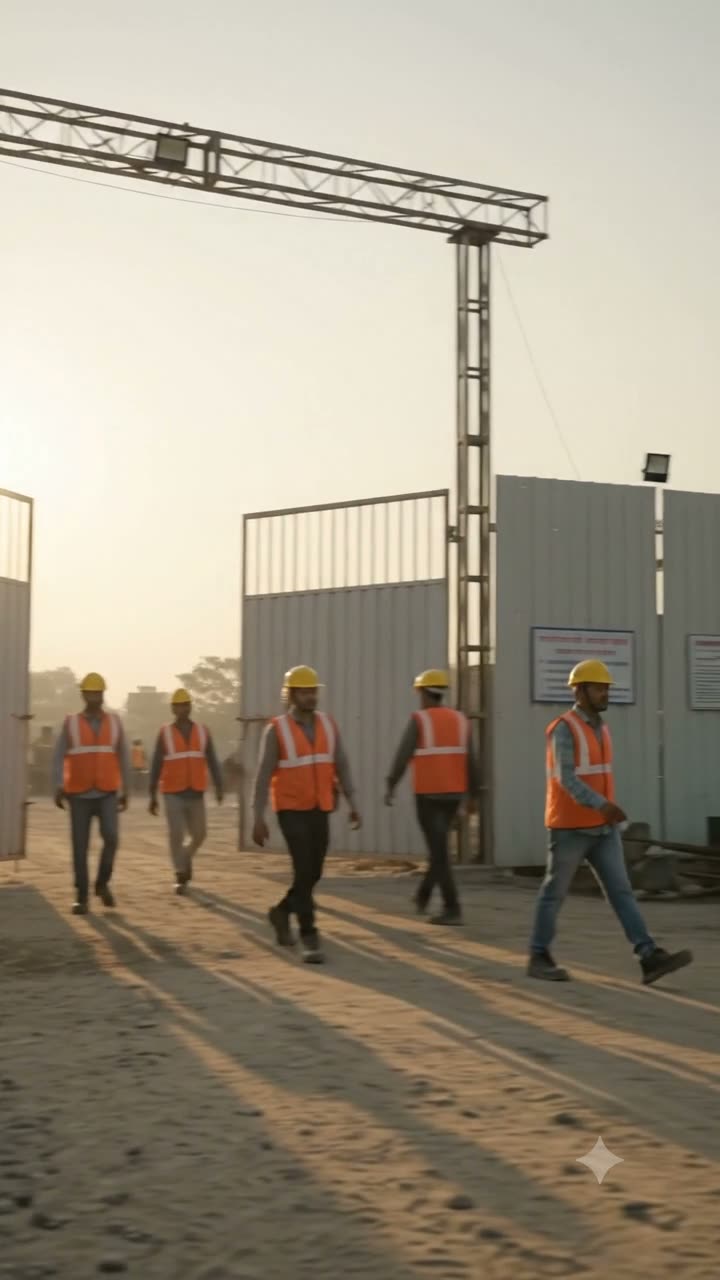
Employee arrives.
06:31, the main gate. The phone knows the site before the worker has looked at it.
Meet Workfence
Now see everything that matters.
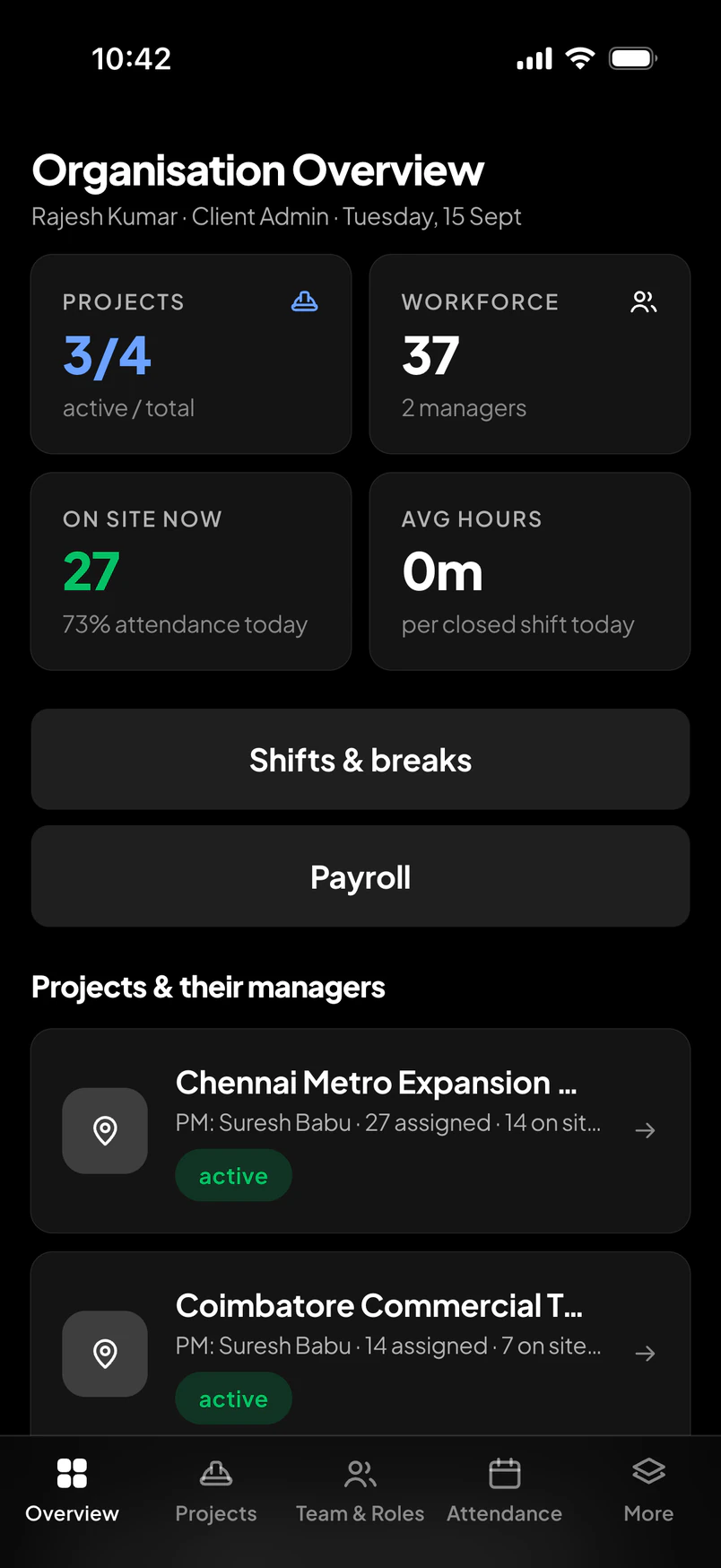
Workfence connects your workforce, projects, attendance, location, shifts, payroll and allowances in one intelligent platform.
“Who is actually on site?”
Before
With Workfence
Worker arrivesGeofenceSelfieCheck-inAttendance confirmed
Interactive check-in
Worker approaches site.
The app already knows the site's boundary. Outside it, the check-in button simply waits.
Geofence activates.
Selfie captured.
Location verified.
Attendance confirmed.
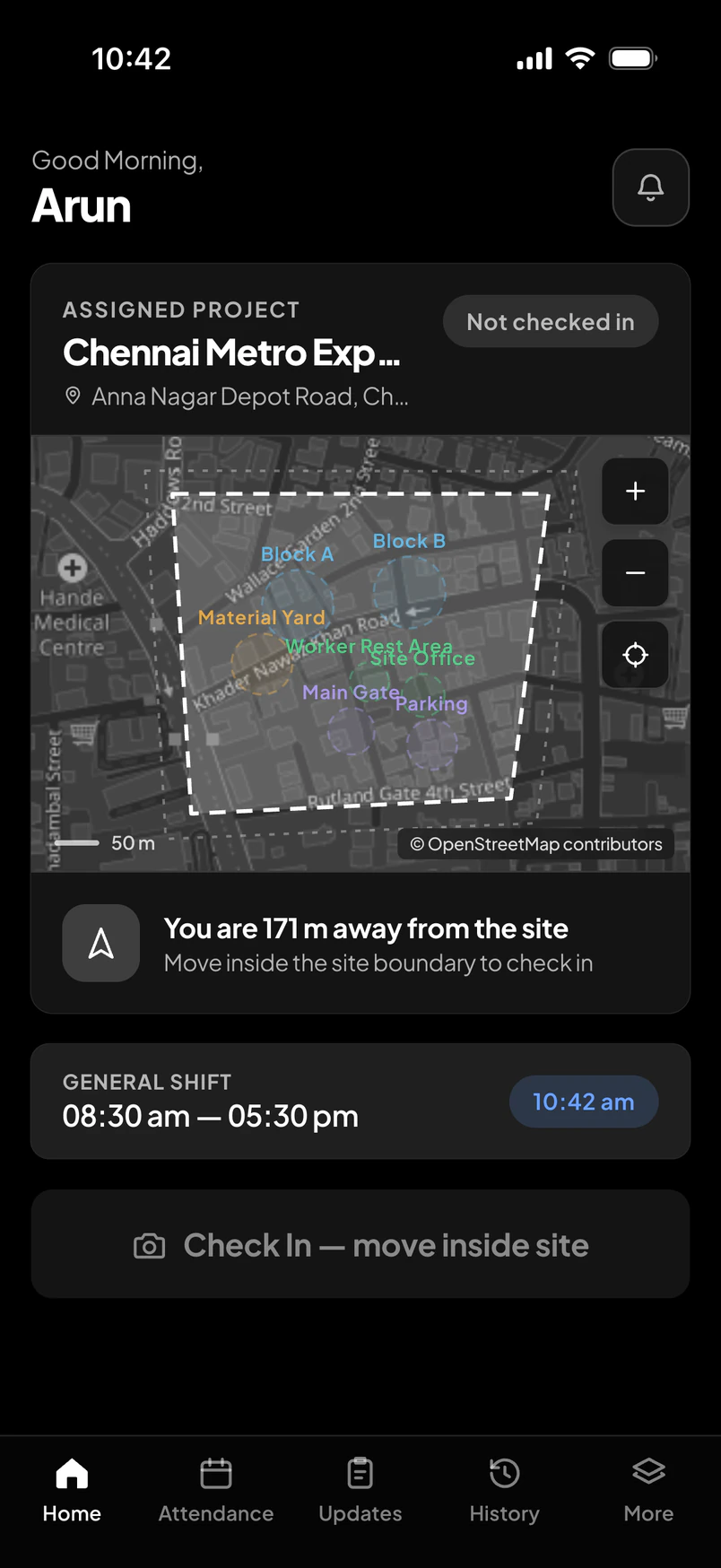
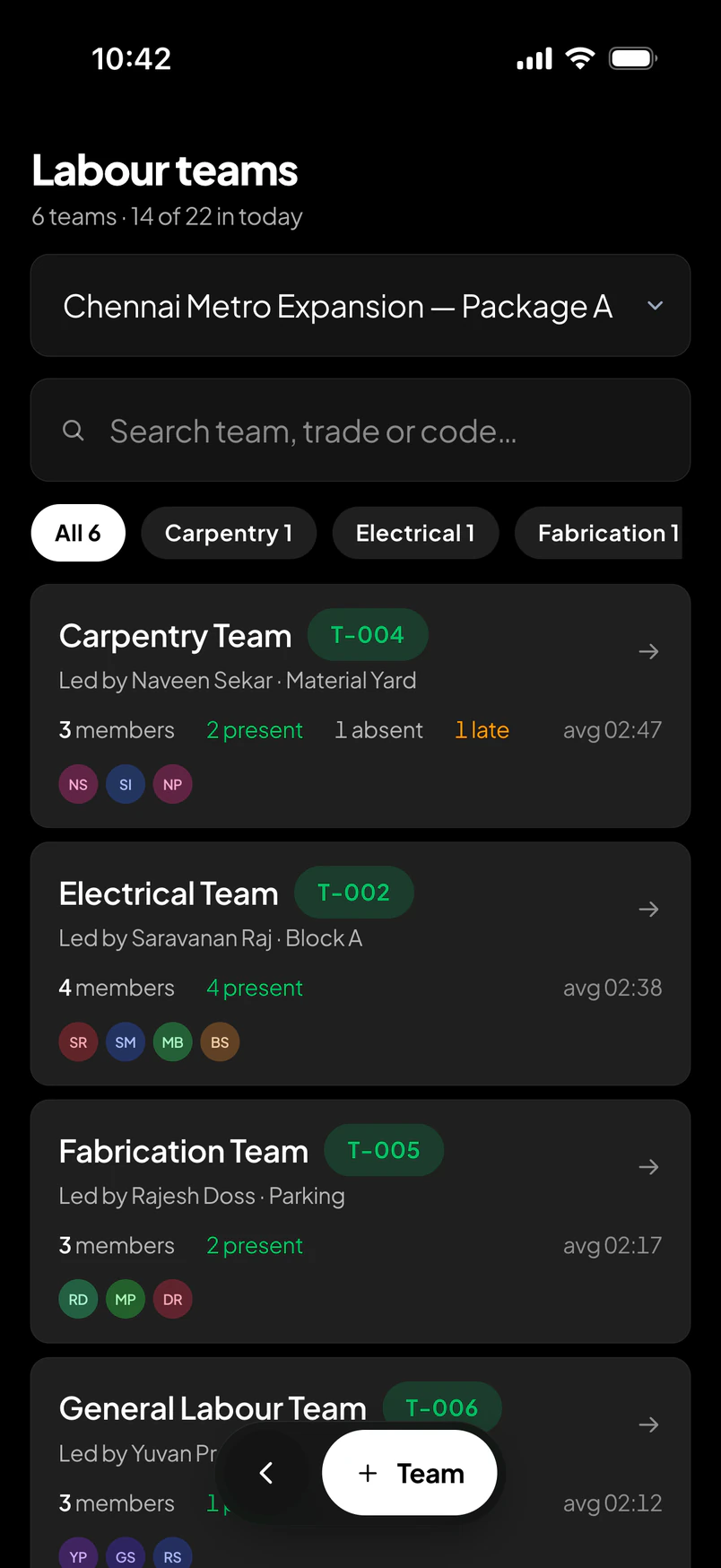
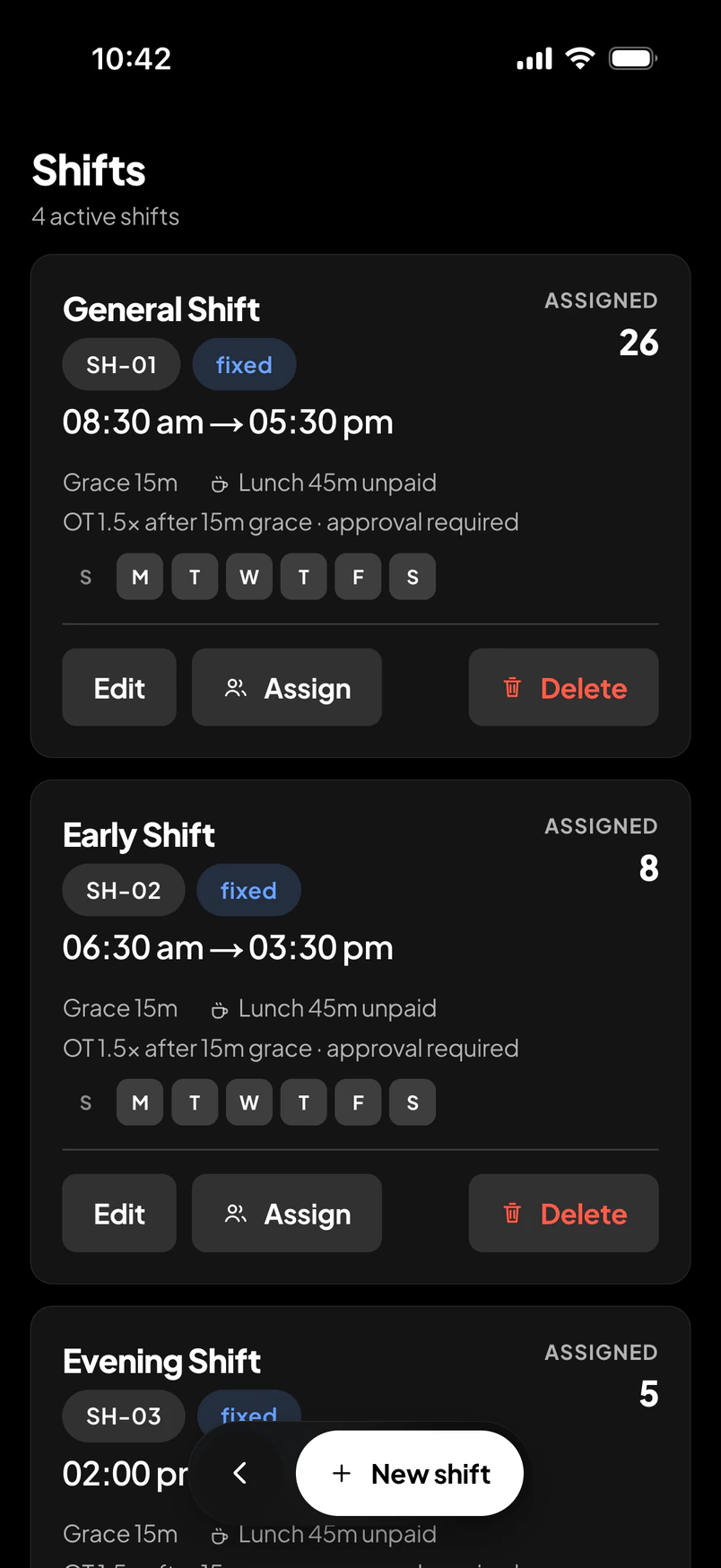
Managers don't need to call everyone to know what's happening. Workfence provides authorised real-time visibility during active work sessions.
Live workforce map
Chennai Metro — Package A · tap a markerhover a marker
Illustrative sample · not live data
Workforce
24
On site
21
On break
2
Outside boundary
1
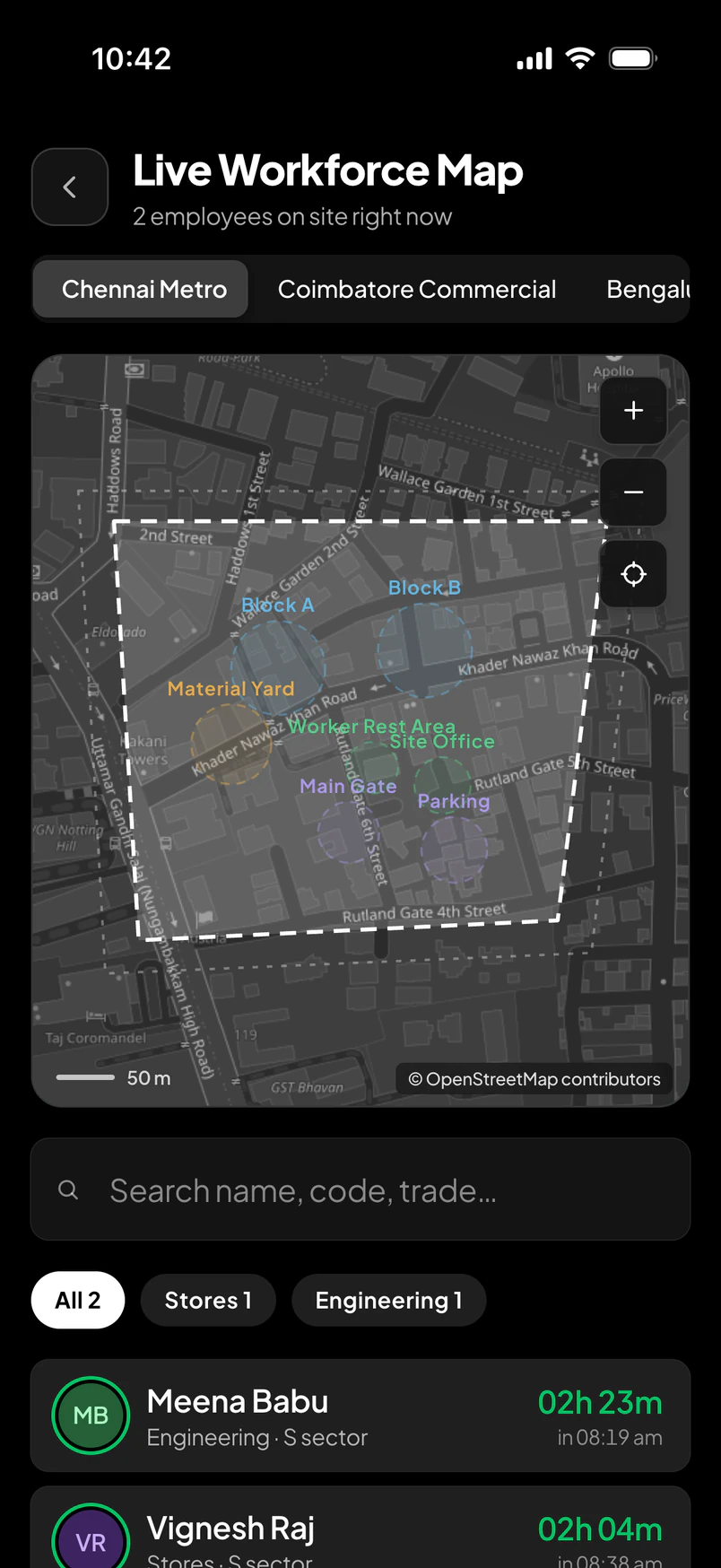
The real screen
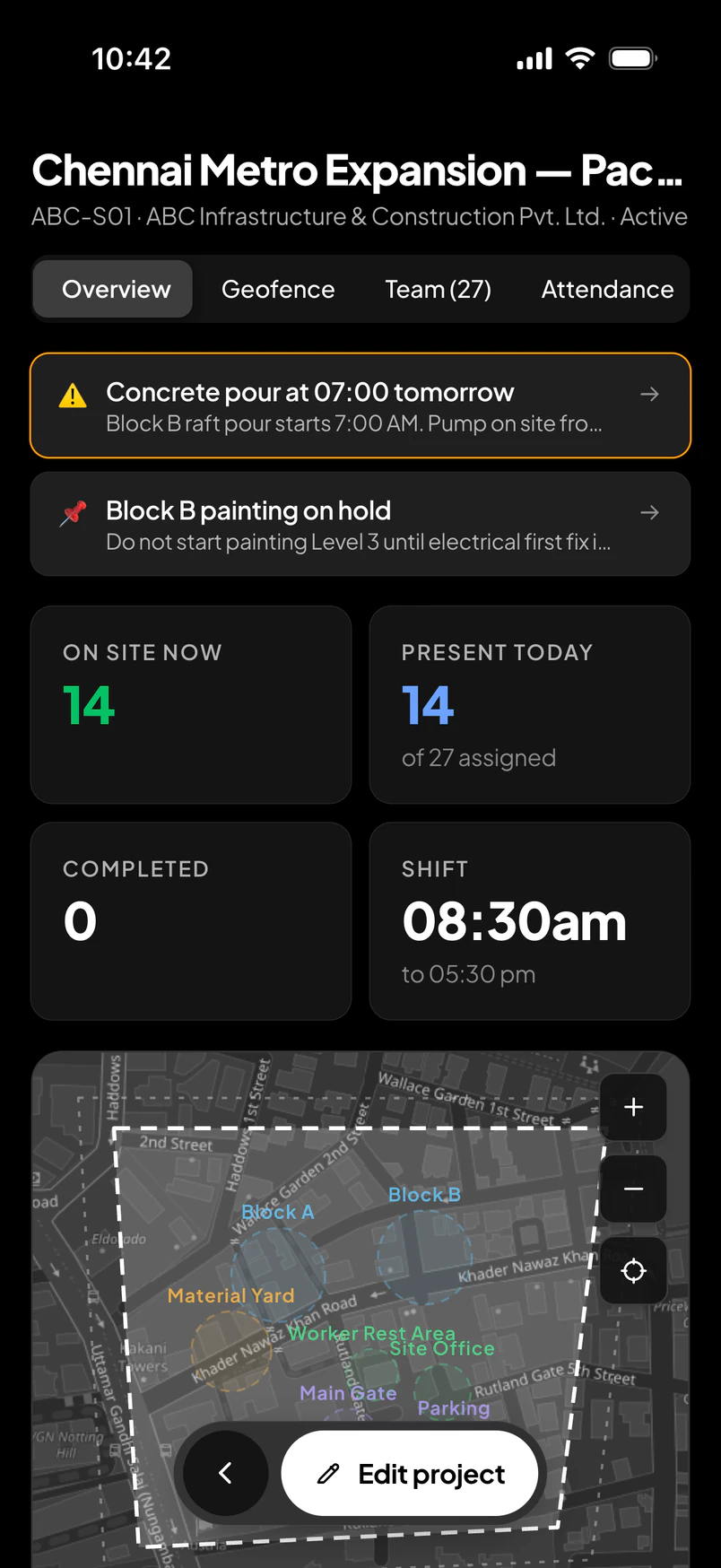
Live Workforce Map
Boundary, zones, and who is where — from the manager's phone, mid-morning.
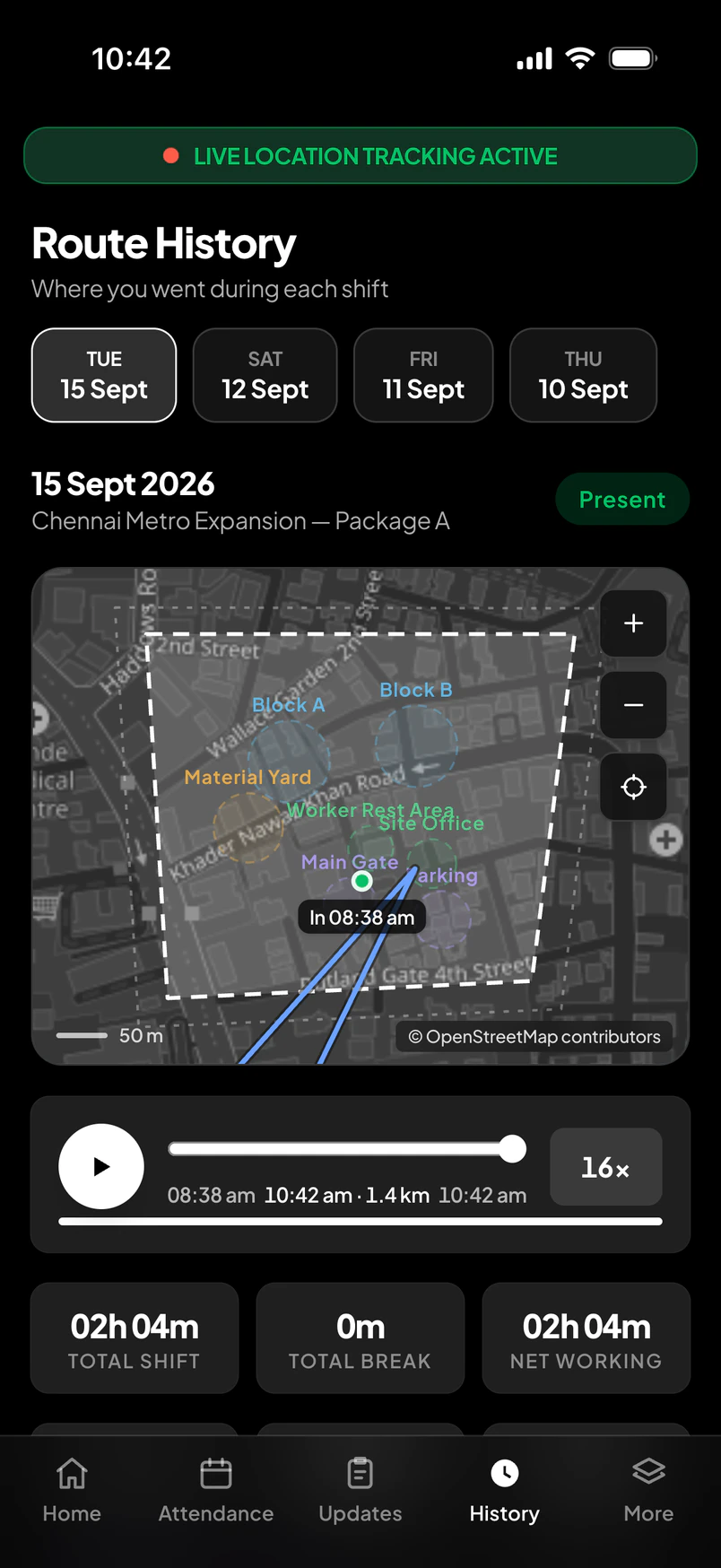
One shift, on the map
IllustrativeFrom the demonstration company's screen · Vignesh Raj, 15 Sept, 10:42
Track what matters, not everything
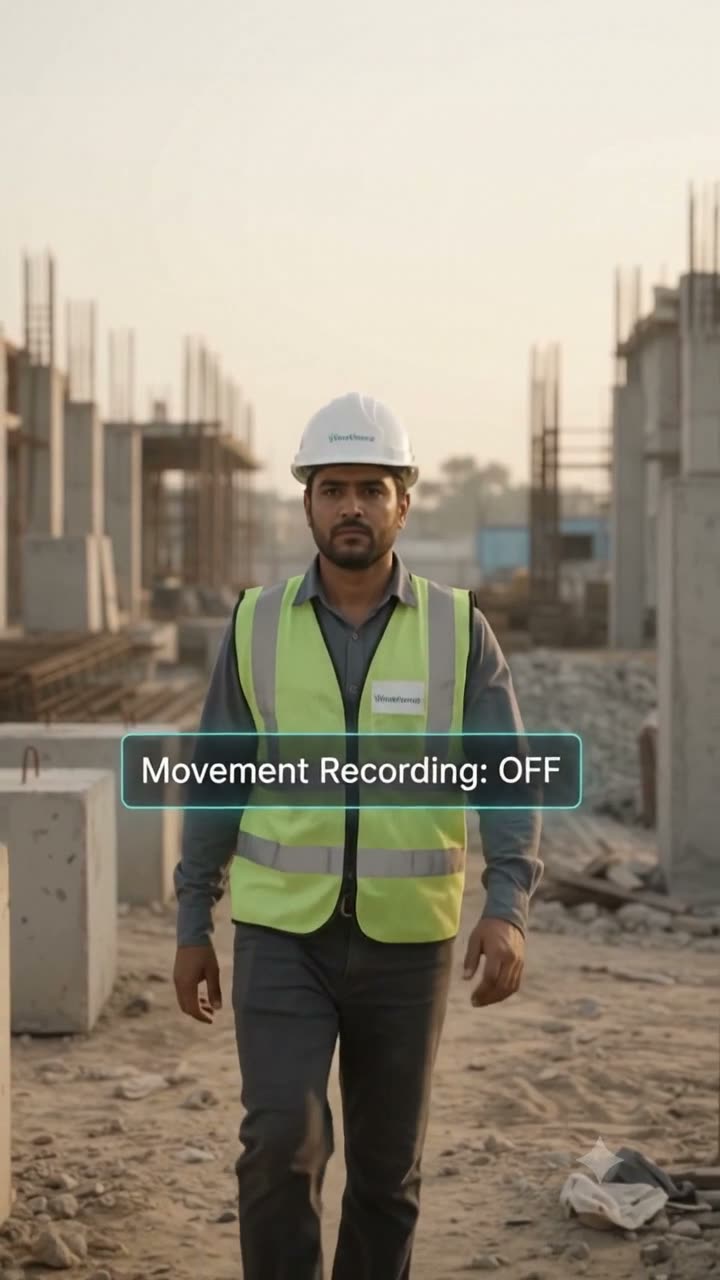
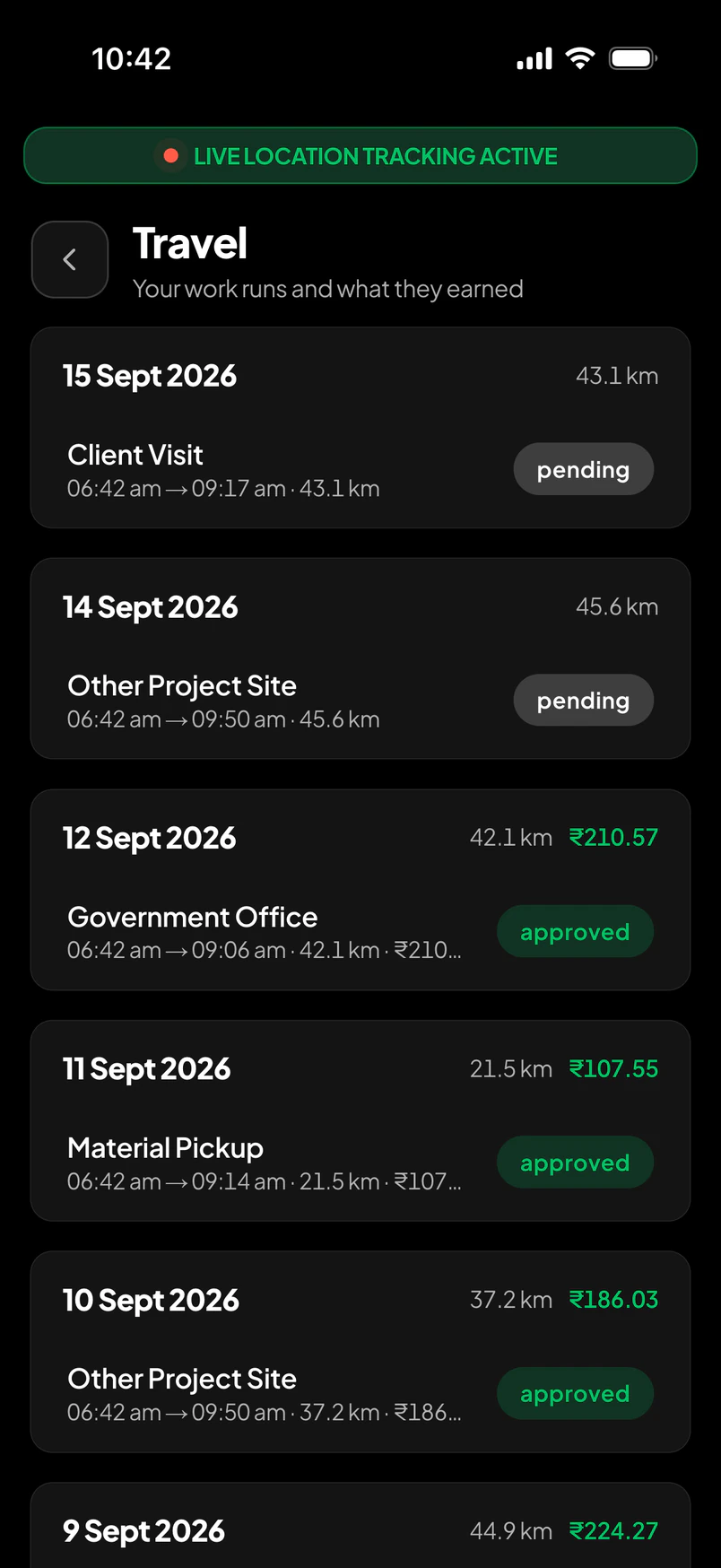
Per site, choose whether on-site movement is recorded at all. Turn it off and only trips away from the boundary are — material runs, client visits, nothing else. Each trip opens with its own marker, and the odometer does not count the gap.
Small losses happen every day.
Attendance leakage
Hours paid that were never worked — a proxy signature, a late arrival nobody saw.
Payroll errors
Re-keyed registers, disputed overtime, a correction run every month.
Manual admin
Collecting, checking and reconciling what the site already knew.
Unverified travel
Distances claimed from memory, approved on trust.
Allowance errors
Meals and travel paid on the roster, not on presence.
Manager time
Phone calls to find out who is where — several times a day.
Reporting effort
The month-end spreadsheet that takes a week to believe.
We won't guess your numbers.
Every company leaks differently. Use your own figures.
ROI calculator
Enter your own numbers. The story on the right is built from them — and only from them.
Defaults are placeholders — replace them
Your workforce
250 employees
12 managers · 4 sites
Your monthly workforce operation
₹47,00,000
₹45,00,000 payroll + ₹2,00,000 allowances
Administrative effort
160 hours
₹56,000 in admin time + ₹23,000 processing
Potential leakage
₹1,41,000
3% of payroll and allowances — your estimate
Estimated monthly impact
₹2,20,000
leakage + manual effort
Estimated annual impact
₹26,40,000
× 12 months
What if Workfence could reduce the manual work behind these numbers?
Set your own assumptions. We don't know your site — you do.
Illustrative monthly reduction
₹1,10,000
≈ ₹13,20,000 a year
See it on your siteEstimated / illustrative, based on your inputs and assumptions.
Payroll
How it is built
From draft to locked
Net payroll · Sept
₹5,49,039.44
Overtime
48h 30m · ₹10,986.73
Deductions
₹50,424.87
Demonstration company · September draft, 11 overtime approvals pending
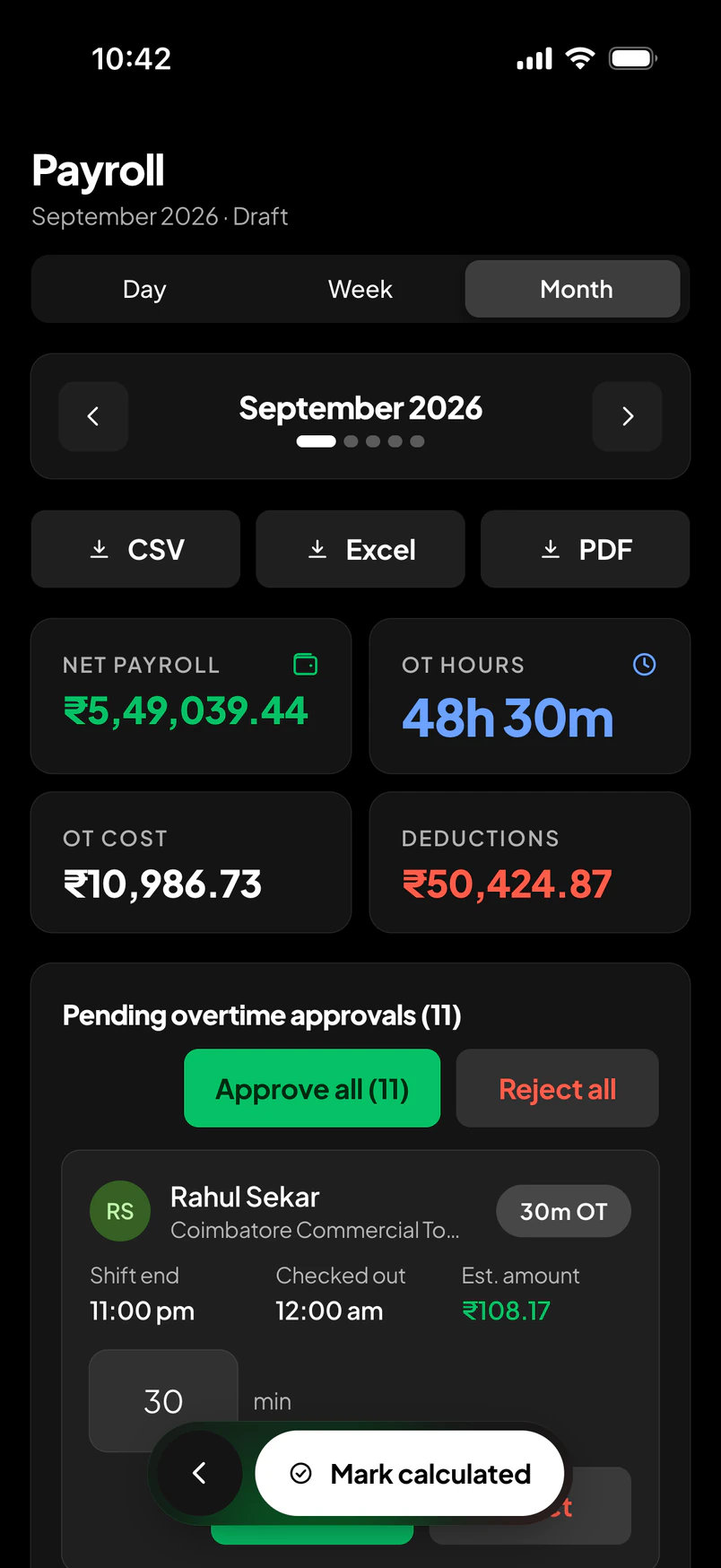
Payroll · Priya Narayan
CSV, Excel, PDF
Allowances
Travel
Only trips outside the boundary are recorded. Distance is measured, capped by rule, priced at the company rate, and sent for approval.
Demonstration company · Vignesh Raj, store keeper
Food
A food rule says who is eligible and when — on site by a set time, for a set shift. Eligibility is read from the attendance record, so the allowance goes to the people who were there.
Example rule
On site before 09:00 on a General shift → eligible for the day's meal allowance.
Read from the check-in. Paid with the month.
Illustrative rule — rates and times are the company's
One employee
Arun Kumar · Mason
Multi-company
A site engineer can be a manager at one company and a worker at another. The same sign-in holds both memberships — and each company sees only its own people, projects, attendance and payroll.
Companies B and C are illustrative
Data remains securely isolated between companies.
Every record carries its company; row-level security enforces it on the server, and a person sees only the tenant they switched into.
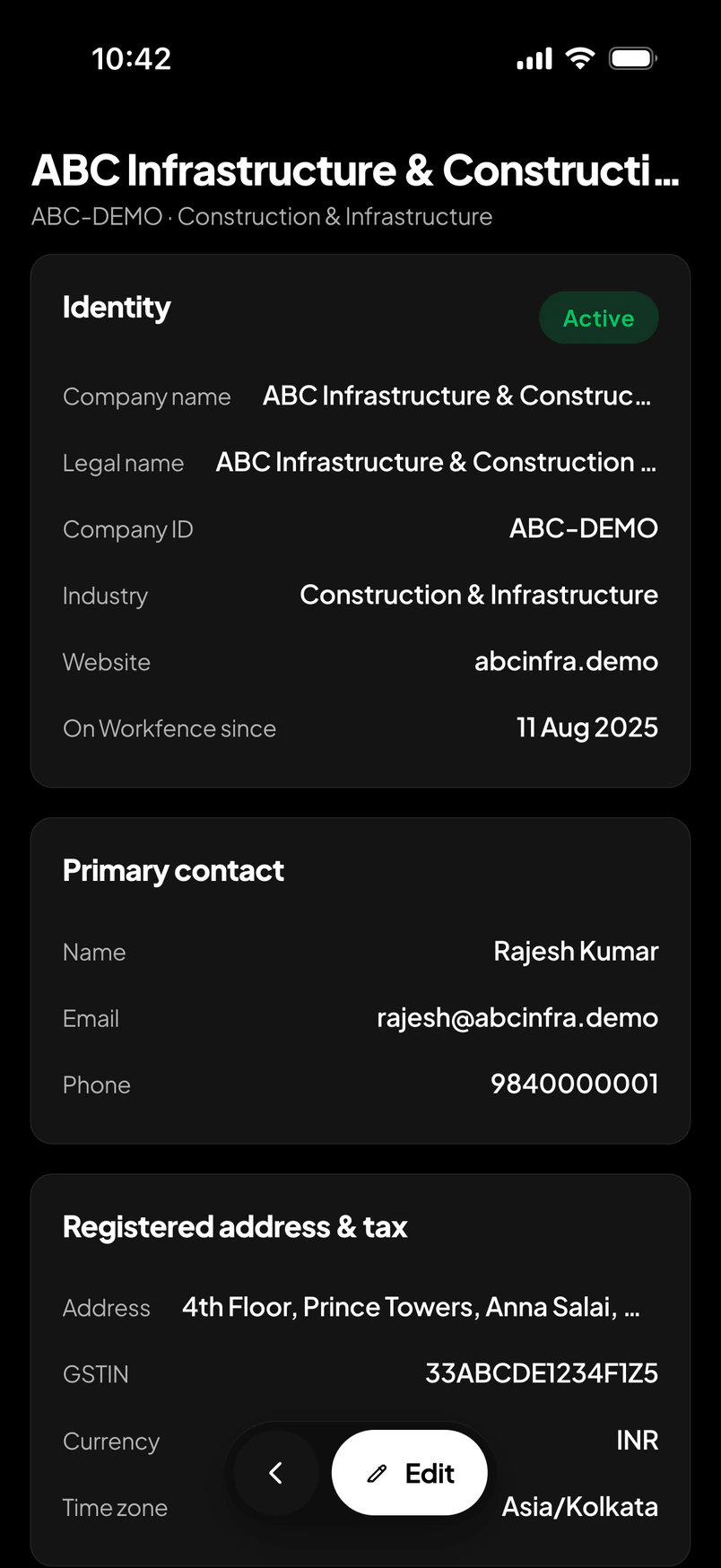
Company · identity, contact, tax
Choose your role
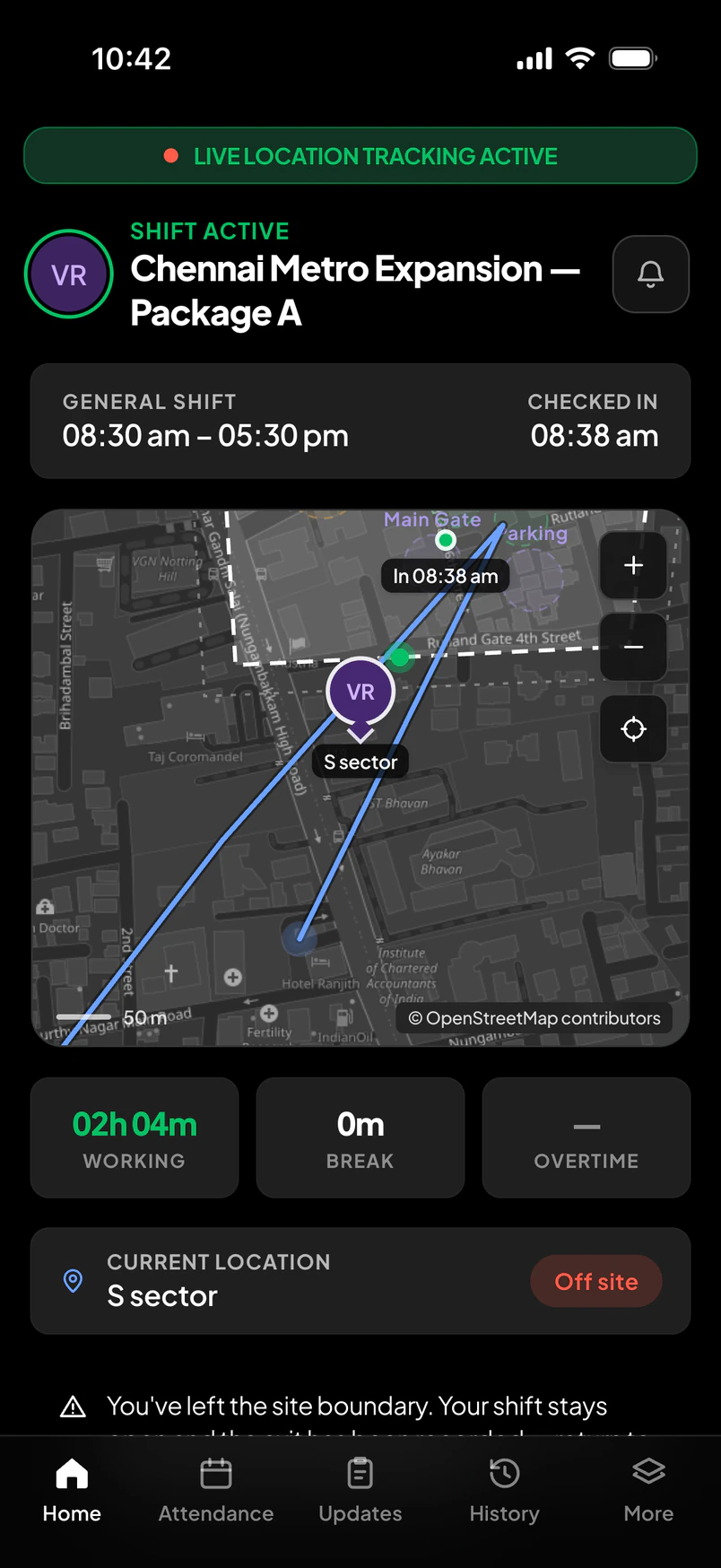
My workday.
Arun Kumar · Mason · Chennai Metro
Verified check-in at the gate
The transformation
Before Workfence
After Workfence
What changes
You spend less time chasing attendance.
Managers see their workforce faster.
Payroll gets cleaner data.
Allowances become easier to validate.
Employees get greater visibility.
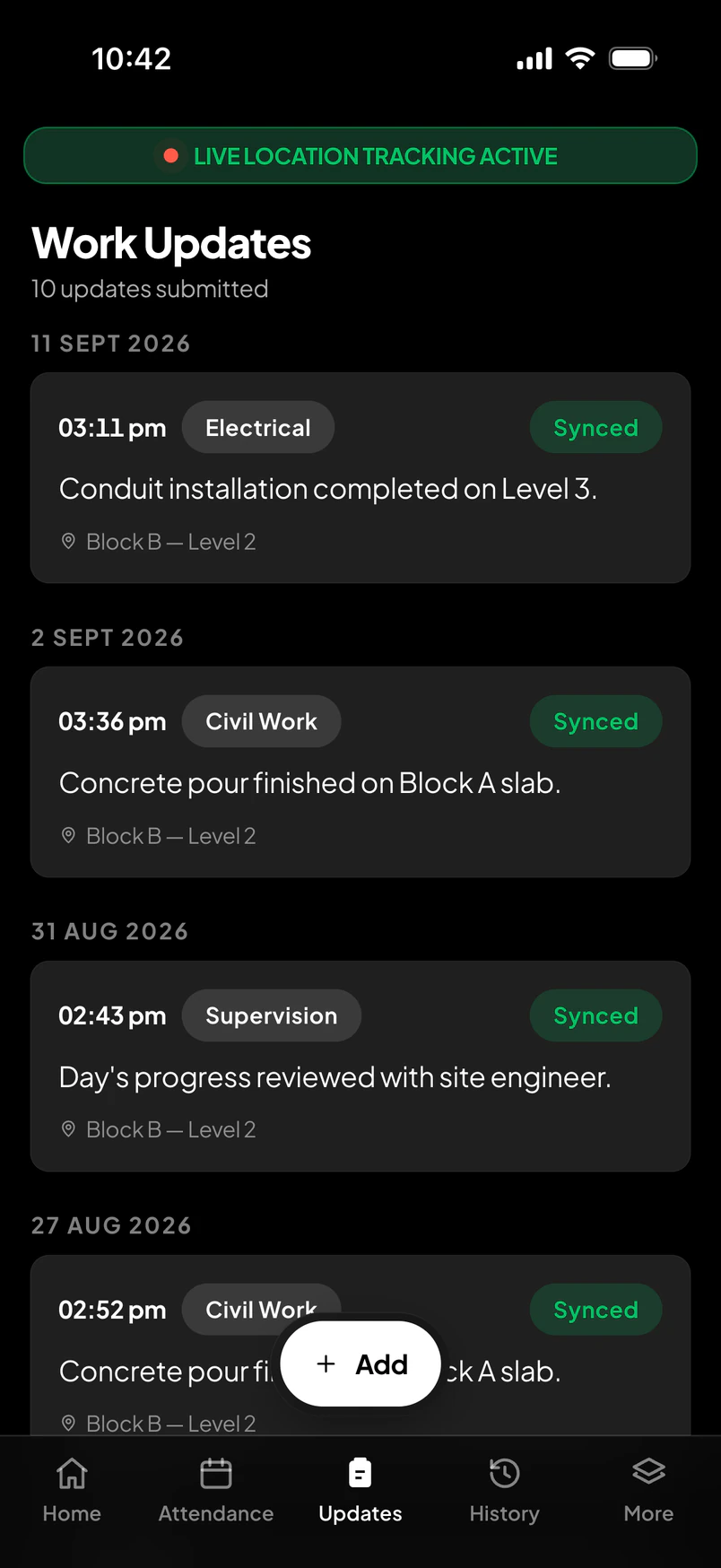
Project updates become structured.
Owners get better cost visibility.
Companies scale without adding the same administrative effort.
One day, on scroll
Six moments, from the gate to the payslip. The phone beside them shows the real screen at each one.
06:31, the main gate. The phone knows the site before the worker has looked at it.
Inside the boundary, check-in becomes possible. Outside it, it simply isn't.
Inside, check-in unlocks. Outside, it stays shut.
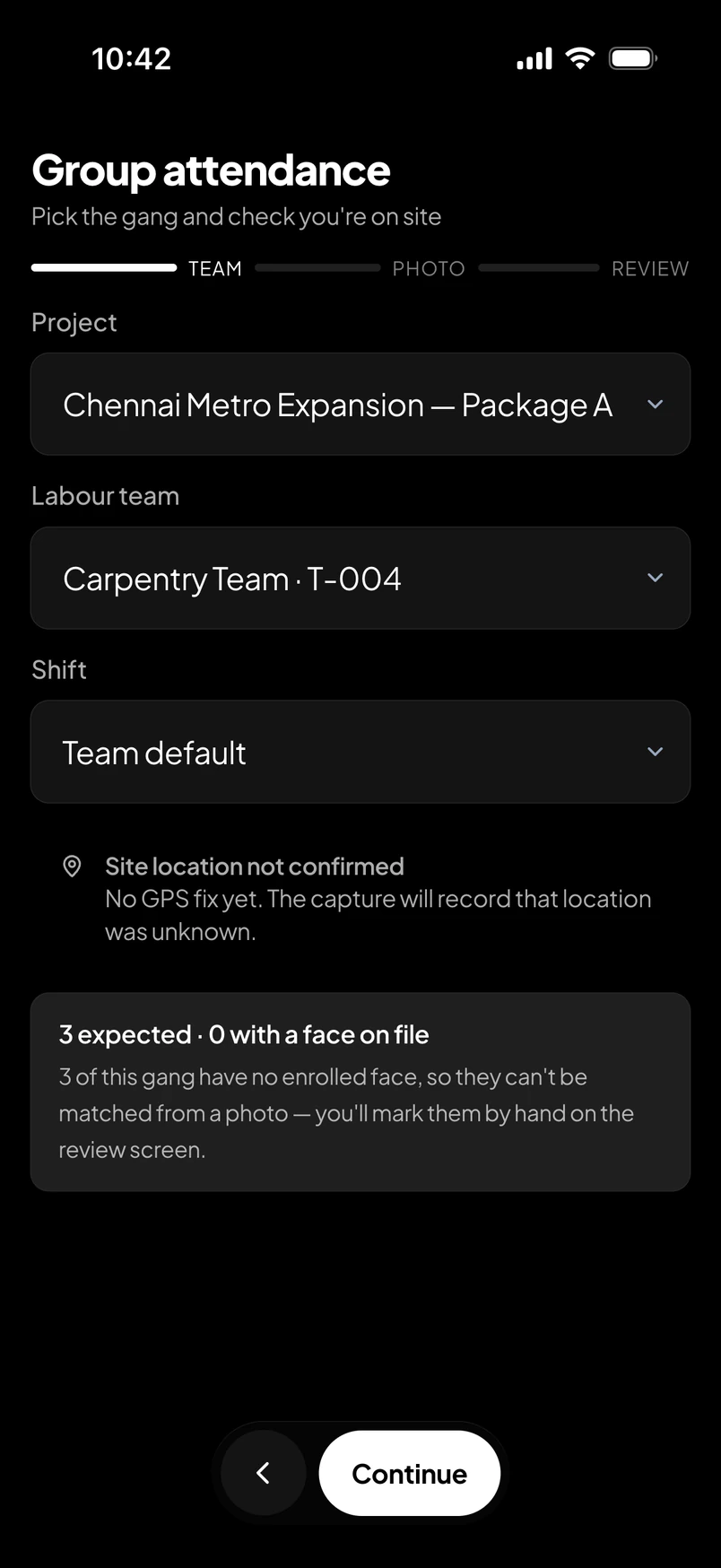
A face at the gate — matched on the phone, never uploaded. The shift begins.
Matched on the worker's own phone. Nothing uploaded.
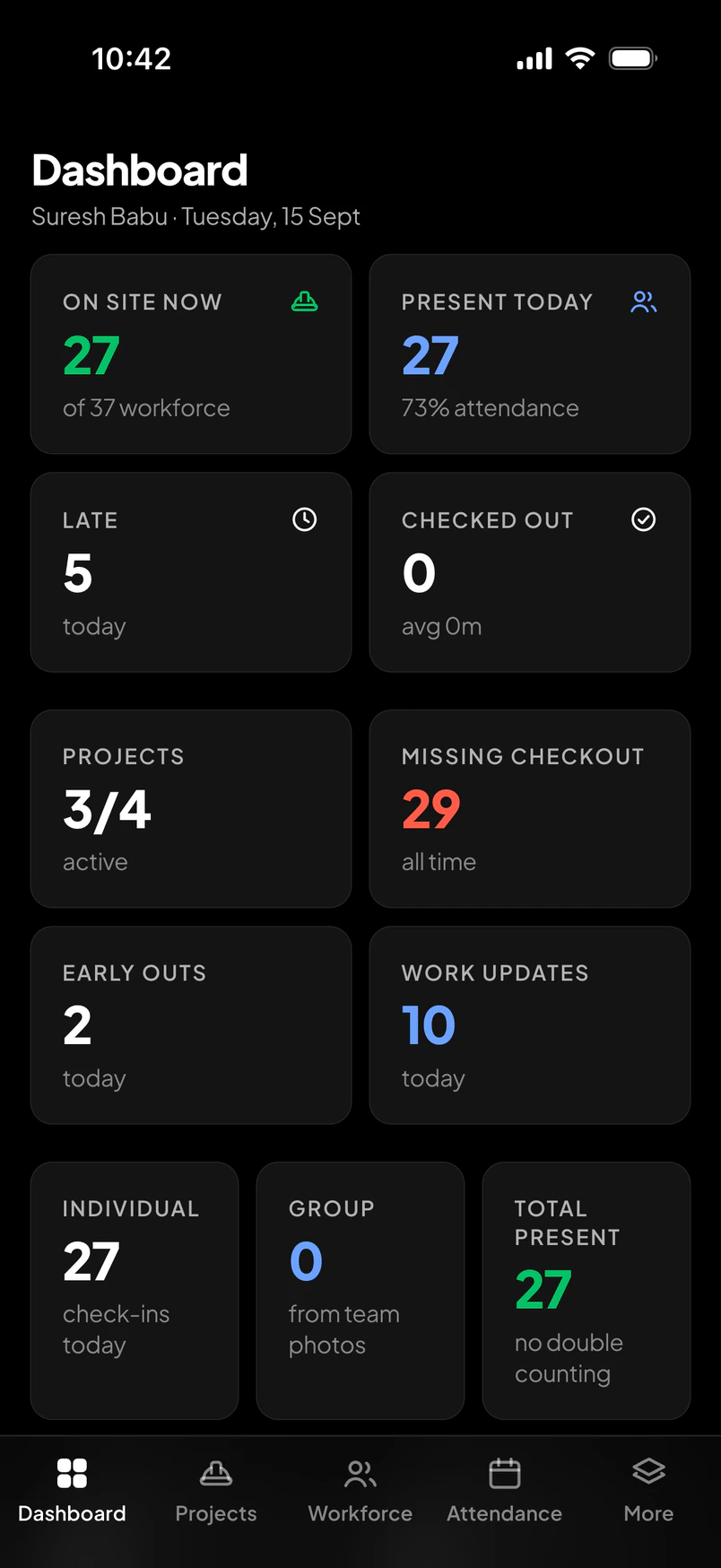
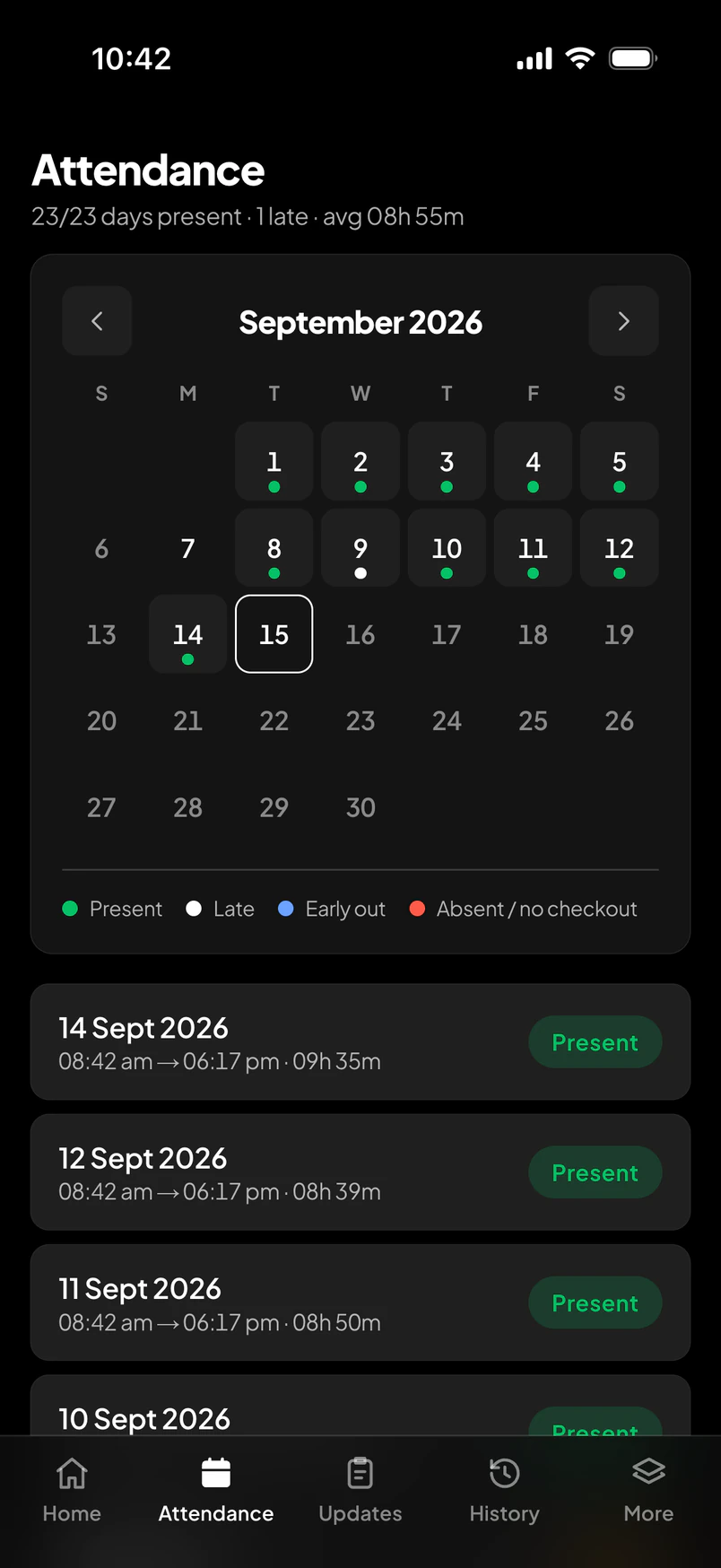
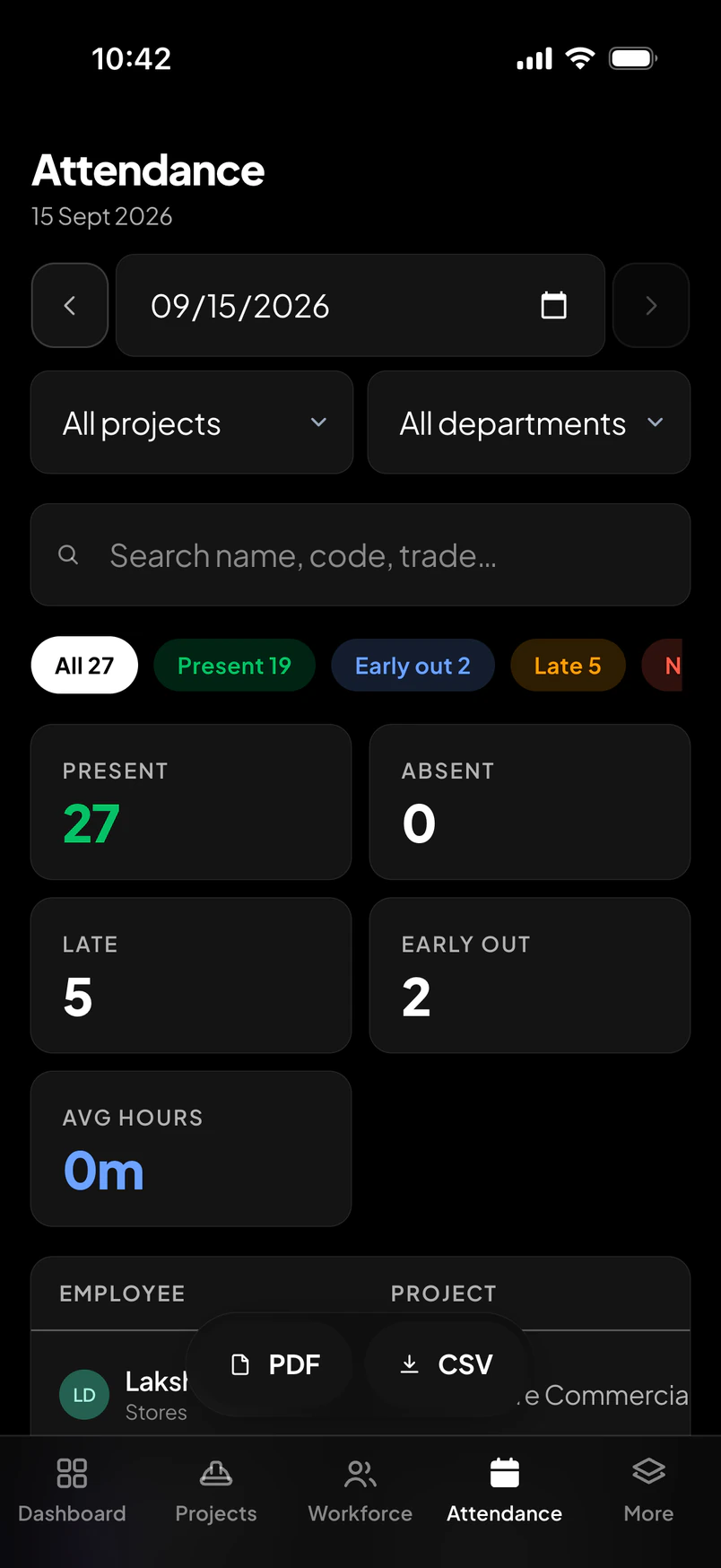
Twenty-seven on site, five late, two early outs — without a single call.
Checkout, route, hours, a voice note. The day is written before it is forgotten.
The same record payroll will read.
The same records, all the way down — into a draft, a review, a lock.
Employee arrives.
One employee.
Check in.Work.Move.Break.Update.Check out.
One project.
Workforce.Progress.Costs.Issues.
One company.
People.Projects.Payroll.Costs.
One platform.
Workfence
Workfence brings the entire construction workforce journey into one connected platform.
Before Workfence
“I think my workforce is working.”
After Workfence
“I know who is working, where, what happened today, what it cost, and how it flows into payroll.”